
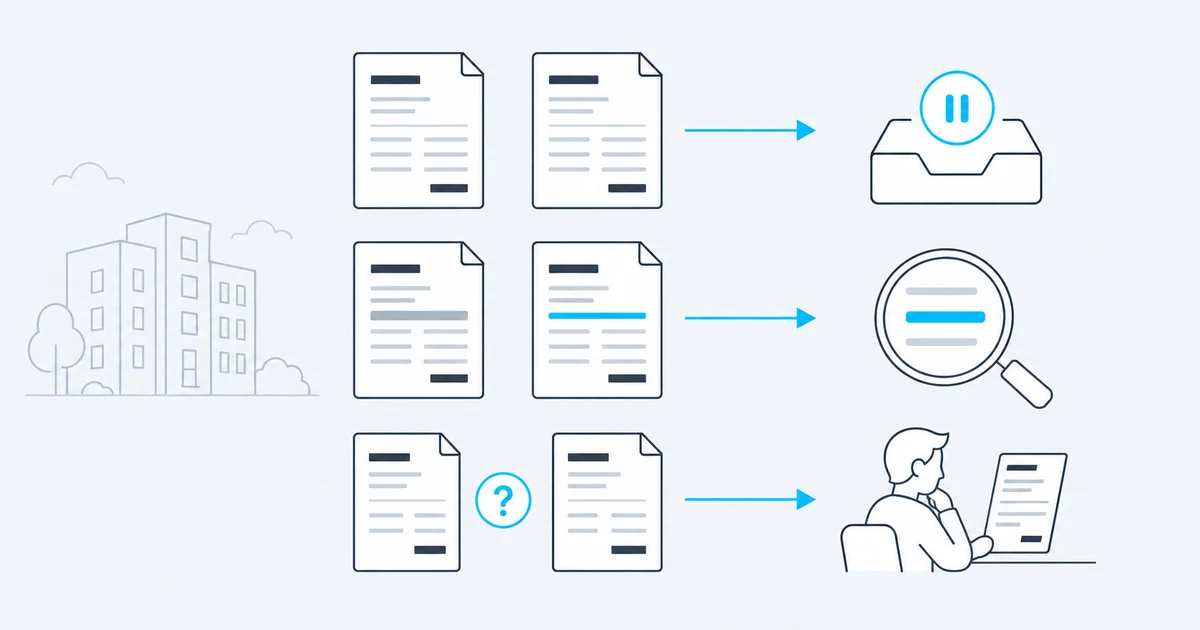
Imagine this situation: a supplier sends an invoice again. The invoice number and amount are unchanged. The PDF still says “Invoice”. In the email, however, the supplier explains that service recipient details have been added. To understand this submission, you need both documents and the accompanying message.
A check based only on the supplier and invoice number flags a match. That is a useful warning that the invoice is already known. It does not yet explain which details changed or what the sender says about them. This is where Pridonu Cube comes in: AI compares the invoice content and includes the email text in its assessment.
A suspected duplicate can then come with a specific explanation – for example, that service recipient details have been added. Your accounts payable team has a starting point for further processing. When AI duplicate checking and duplicate holding are configured, Cube supports the process as follows:
- Find the change: Cube compares the documents and extracted data. Recipient details, invoice line items or purchase order numbers may differ even when the invoice number stays the same. Detected differences can be recorded as changed fields alongside the decision.
- Read the explanation: AI considers the email context. A note such as “service recipient details added” helps put the change into context. The sender’s statement is assessed alongside the actual document content.
- Understand the reasoning: the clearing cockpit provides the documents and comparison data for inspection. Staff can see the AI verdict and stored notes. This supports a focused review and specific questions to the supplier.
- Hold unchanged repeat submissions: when the same file arrives again, Cube recognises the repeat submission directly and holds the case back from automatic handover. No AI decision is needed.
- Resolve open cases: if the AI check fails, the case remains on hold for clarification. Staff can restart the check, correct a system decision or deliberately pass a document on with a recorded reason.
For your accounts payable team, this means less searching through invoice versions and emails, specific information about changed details and a traceable basis for the next decision. The comparison controls onward handover; it establishes neither a valid invoice correction nor an additional payment obligation. How the revised version relates to the existing transaction, including any postings or payments already made, remains part of your review and approval process.
Explore duplicate checking with your own invoices →Please note: this article reflects the legal position and administrative guidance as at the date stated and is no substitute for tax or legal advice.